
Start your tech journey
At OSAS Building, we make getting a great PC simple. We build custom computers using reliable, high-quality parts, tailored to what you actually need—whether it’s gaming, school, work, or everyday use. From picking parts to building and setting everything up, we take care of the hard stuff so you can enjoy your PC


What We Do
Our Focus
What We Build
Your Experience
What is a Personal Computer?
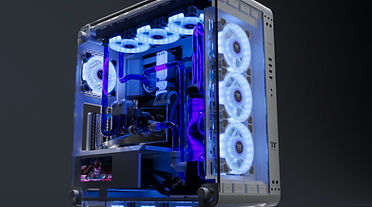
The PC
What holds the PC together?
The Motherboard
Who gives the directions?
The Central Processing Unit (CPU)

Why do Games Perform Well?
The Graphics Processing Unit (GPU)
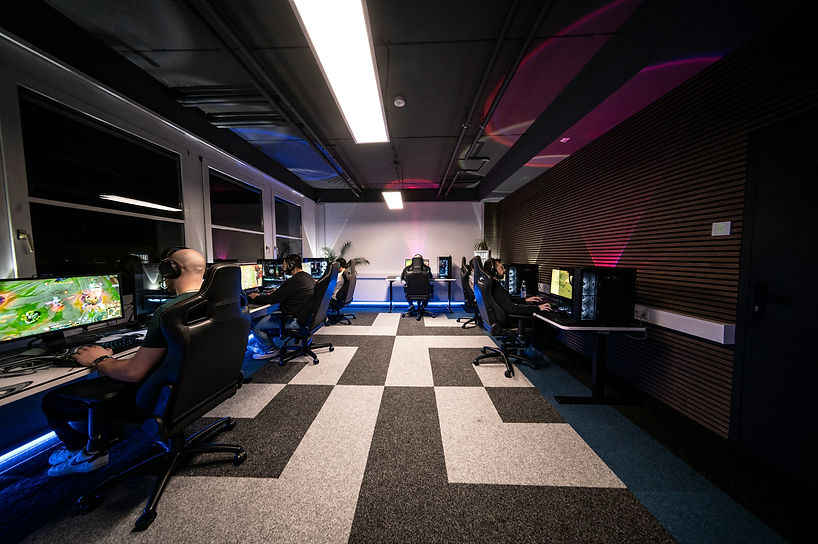
At OSAS Building, we’re here for the gamer’s journey. We care about making sure every build feels right for the way you play whether you’re chasing high FPS, smooth performance, or your first custom PC. We take the time to build, test, and fine-tune every system so you can game with confidence, knowing your setup was made with care. Our goal is simple: give you a PC you love and a positive experience from start to finish.
At OSAS, we’re a dedicated group focused on elevating your experience, whether you’re a first-time PC owner or a seasoned enthusiast. Every system is built with care, and we make sure you understand what each part does, giving beginners confidence and veterans the performance and flexibility they expect from day one.
The personal computer (PC) is a versatile device built to handle everyday tasks like gaming, school, work, and creative projects. For beginners, it’s a system where different parts work together to control speed, visuals, storage, and multitasking. For experienced users, a PC also offers customization, upgrades, and performance tuning to match specific needs over time.
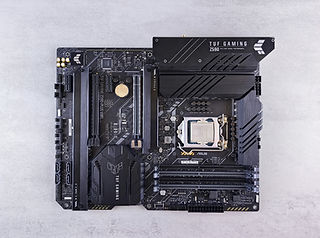
The motherboard connects every part of the PC and allows them to work together. It acts as the main hub, making sure components like the CPU, memory, storage, and graphics card can communicate properly.
The CPU is the brain of the PC that handles instructions and calculations. It controls how fast your computer runs and how well it multitasks. A stronger CPU means smoother performance for everyday tasks, gaming, work, etc.
The GPU handles visuals and graphics on your PC. It powers smooth gameplay, video playback, and creative tasks like photo and video editing.

What helps the CPU run multiple Programs?

The RAM helps your PC run smoothly while you have multiple programs open. It allows your computer to quickly access the information it needs right now.
The Random Access Memory (RAM)
How do you store your games and files?


The storage drive is where all your files, games, and programs are saved. It also affects how fast your PC starts up and loads applications.
The Storage Drives
How is your PC powered?
The Power Supply Unit (PSU)

The power supply delivers electricity to every part of your PC. It ensures your system runs safely and consistently without power issues. A reliable power supply helps protect your components and keeps everything running smoothly. PSUs come in different grading scales of performance, and they all come with their own caveats; it is important to find the right PSU for your build and experience.
How does your PC keep itself from overheating?
The Cooling System


The cooling system keeps your PC from overheating and running too hot. It includes cooling fans, AIOs (all-in-one liquid coolers), and custom liquid cooling to manage heat during use. Proper cooling helps maintain performance and extends the life of your components.
And to hold all of this together...
The Case

The PC case holds and protects all the components of your computer. It also helps manage airflow and cooling to keep everything running safely. A good case balances protection, cooling, and style.

Our Services
Customization
Craft Your Ideal PC with Precision Components
Upgrades
Enhance Performance with Premium Hardware
Support
Expert Assistance and Troubleshooting
Showcase
Exclusive Designs and Gaming Setups
Cleaning Services
Dust and buildup can slow down your devices, cause overheating, and shorten their lifespan. Our cleaning service is designed to safely restore performance for PCs, PS5s, Xbox consoles, and other tech, whether it’s routine maintenance or long-overdue care. We use compressed air guns, anti-static brushes, and electronics-safe tools to remove dust from fans, vents, and internal components without causing damage. For more advanced systems, we carefully clean cooling areas and airflow paths to help maintain low temperatures and consistent performance. Every device is handled with care, following proper teardown and reassembly practices trusted by experienced builders. Our goal is simple: keep your tech running cooler, quieter, and longer, while making the process easy to understand and stress-free for you.
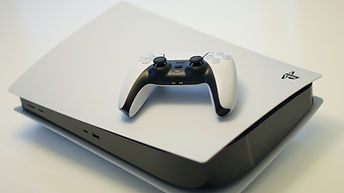


PS5 Cleaning
We remove dust from vents, fans, and internal airflow areas using compressed air and electronics-safe brushes to reduce overheating, noise, and performance issues. Consoles that arrive broken, missing parts, or previously damaged will not be serviced and will be returned as-is.
Xbox Cleaning
We clean air vents, cooling fans, and internal airflow paths using compressed air and electronics-safe brushes to help prevent overheating and performance slowdowns. Consoles that arrive broken, missing parts, or previously damaged will not be serviced and will be returned as-is.
Nintendo Switch Cleaning
We carefully remove dust from vents, fans, and internal cooling areas using tech-safe tools designed for delicate electronics. Devices that are physically damaged or missing components will not be opened or serviced.
FAQs
Helpful Answers
Explore answers to common queries about our custom-built PCs, hardware upgrades, and tech solutions. If you require further assistance, don't hesitate to reach out to our team.
Frequently asked questions

Connect with Us
Reach Out
Do you have any queries or need additional information? Contact us using the form below. Our dedicated team is poised to support you.